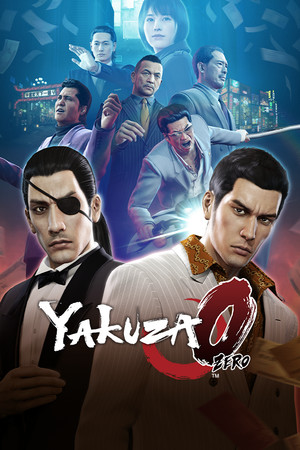
Yakuza 0
21:9
Fix Required
32:9
Fix Required
Gameplay Scaling
Hor+
HUD
Edge-positioned
Centered HUD
Unavailable
Cutscenes
16:9 pillarboxed
Menus
16:9
FOV
Correct
Black Bars
Cutscenes only
Flawless Widescreen
Not Supported
Community Fix
Available
Online Safety
Safe
Overview
Yakuza 0 supports ultrawide only in gameplay with forced 16:9 cutscenes. DragonTweak disables pillarboxing and letterboxing and lists Yakuza 0 as supported, with a known intro-skip glitch in the main menu; graphics.ini editing is the manual option and can over-stretch the UI. Exact 32:9 behavior and whether all cutscenes are fixed were not confirmed; Director's Cut is a different game entry.
Compatibility details
21:9 SupportFix Required
32:9 SupportFix Required
Gameplay ScalingHor+
HUD BehaviorEdge-positioned
Centered HUDUnavailable
Cutscene Support16:9 pillarboxed
Menu Support16:9
FOVCorrect
Black BarsCutscenes only
StretchingUI only
Fixes
Recommended fix
DragonTweak (Lyall)
UltraWideCheck links to third-party mods and tools but does not host or distribute mod files.
Already have one of these? It works too
graphics.ini TargetAspectX/Y editRemoves ultrawide borders; UI may stretch and need UI Scale adjustment.
Learn more
Patch history & verification
DragonTweak (latest)Sep 20, 2026
Read the DragonTweak README from Codeberg (Yakuza 0 and Director's Cut ticked for pillarbox removal) and PCGamingWiki Video/Ultrawide notes. Lower confidence: 32:9 results, cutscene behavior after the fix, and version number (no release tag confirmed).